Hey everyone, day 8 of hunt for devops
I want to review this project and see what I have learnt from containers, pipelines, and env management.
- Containerized multi-service app with CI/CD — Take a simple app (frontend + API + Postgres), Dockerize each service, orchestrate with Docker Compose, then wire up GitHub Actions to build, test, and push images on every commit. Teaches containers, pipelines, and env management.
We learned what containers are, pretty much lightweight versions of VMs which contain the apps and libraries pushed as an image into a registry like docker hub, but in our case it’s in GHCR Github container registry.
Study Docker here, this is the reference https://www.youtube.com/watch?v=rjjES5IsPdg&t=28s
Dockerizing Each Service
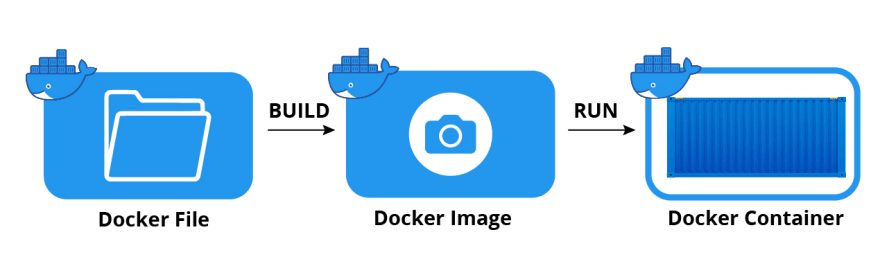
There are three Dockerfiles for my image captioning project, one for the frontend, backend, and worker.
What is a Dockerfile? It is a text file that serves as a blueprint for building a docker image
What is a docker image? Images are read-only binary templates used to build containers that can run an application consistently across different environments.
It is a software binary which is a compiled, ready-to-run file, where docker image acts as a standardized immutable package.
The software binary is machine code that the computer’s processor can run directly. If you want to get really deep into it, try building a compiler, it is pretty ridiculous to build next to an operating system.
We split the backend and workers into separate images so that the API can answer HTTP requests really quickly while the workers handle slow background requests.
Orchestrating With Docker Compose
What is docker-compose.yml?
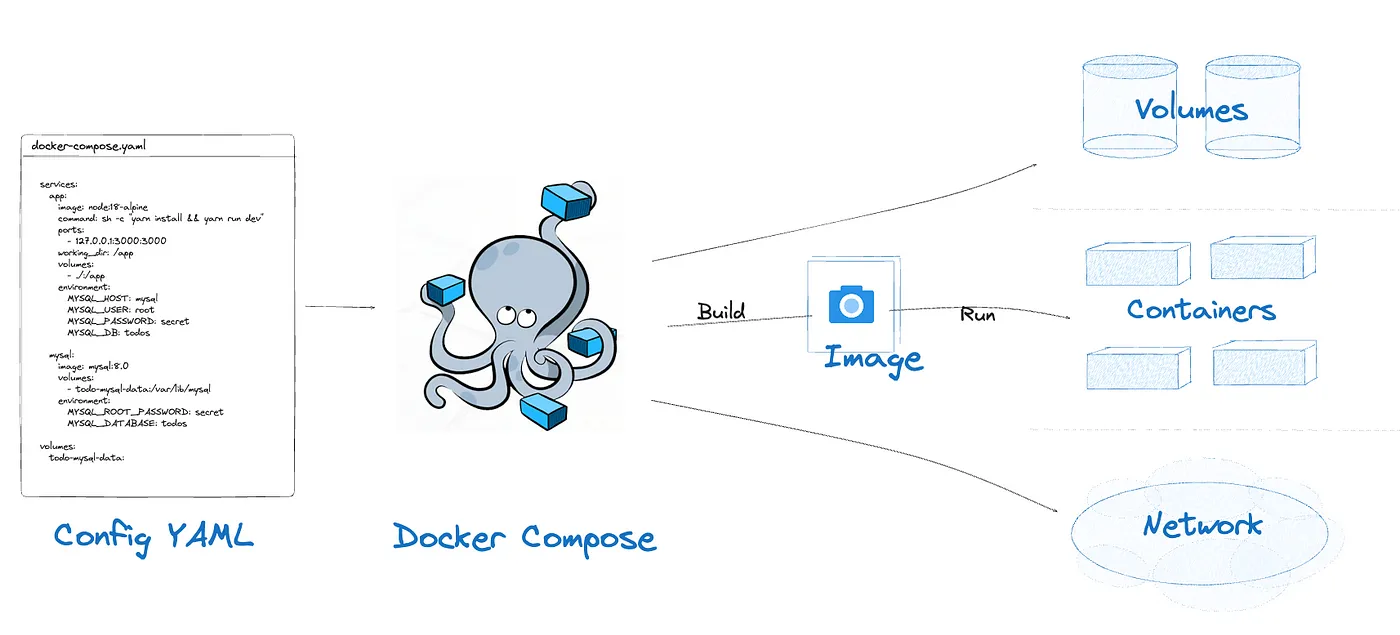
It is a YAML config file used by the docker compose tool to define and manage multi-container docker applications. Instead of manually running individual commands for each container you define the entire environment including services, networking, and storage in a single file.
It can create, start, stop, delete multiple containers on the same docker host.
We had 6 services, a react frontend, fastapi backend, and a background worker for the ML captioning work, a Postgres db, Redis caching, and minio for storage / caching / object storage.
Docker Compose lets us define the whole stack as one file and bring it up with a single command (docker-compose up -d) d meaning detached. Instead of everyone manually running 6 different processes with 6 different sets of ports and env vars, we create a yaml file that lets us consistently run this application across different environments (useful for a team).
Compose helps us with service discovery, containers talk to each other by name instead of localhost, and startup ordering, so the API doesn’t try to connect to a database that isn’t ready yet.
Network and Service Discovery
What is network and service discovery?
Compose puts all services on a shared default network so containers resolve each other by service name with Docker’s embedded DNS.
The API’s database URL points at db:5432, not localhost:5432, and consequently the same for redis, minio.
Ports needing to be reachable by the host such as the frontend on 5173, API on 8000, and adminer (I kind of want postico instead maybe change later) on 8080, MinIO console on 9001 get published with ports, so reachable on the Host OS.
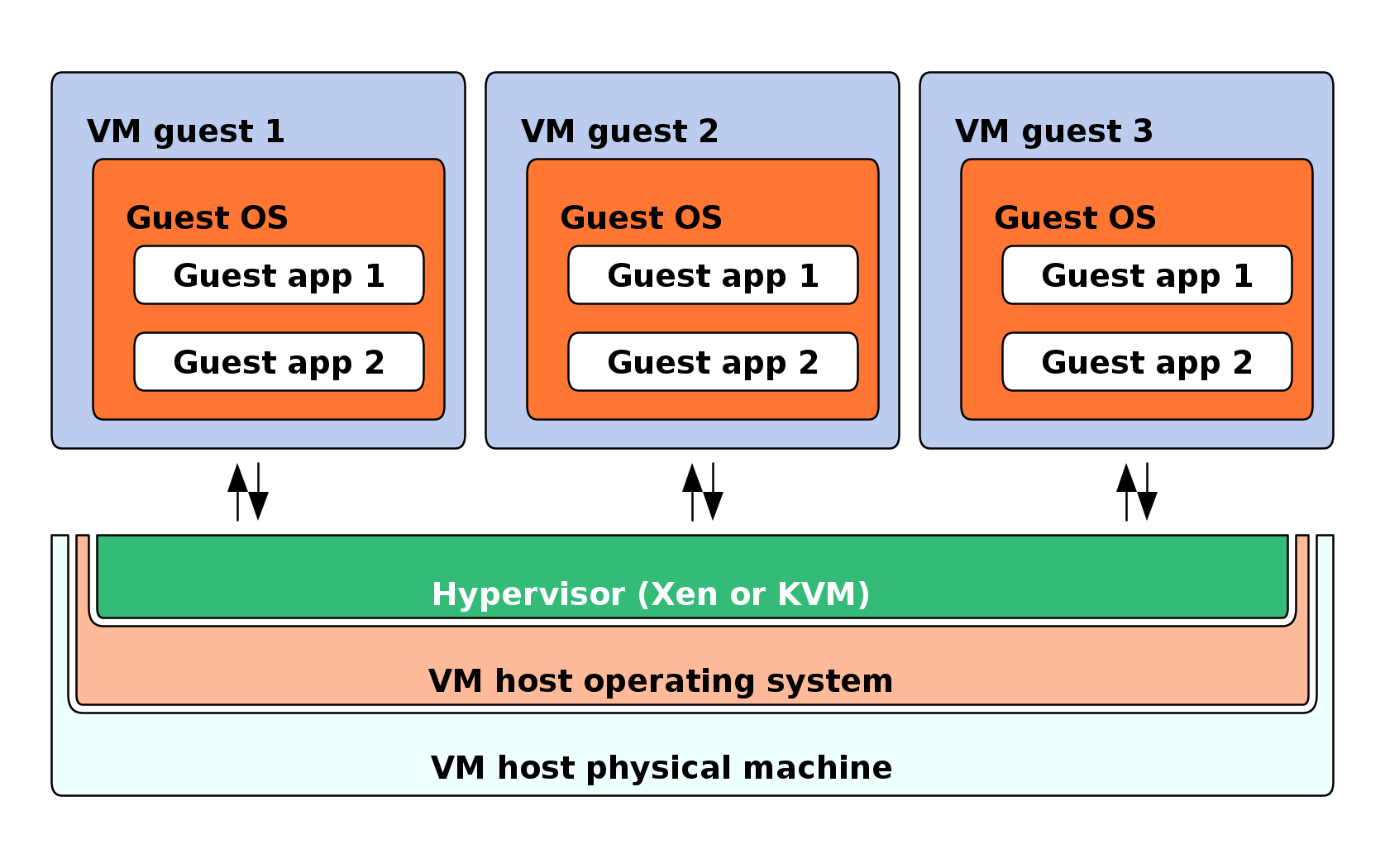
Host OS meaning that it owns hardware on your physical laptop or a cloud. Remember Guest OS is terminology for the VMs which are spun up on a Hypervisor, emulating virtual hardware.
Startup ordering / readiness uses depends_on to wait for a container to start, not to be ready, meaning the Postgres db accepts TCP connections before it can serve queries.
Study Networking here / this is the reference https://www.youtube.com/watch?v=fQbBPa0ADvs
TCP operates at the Transport Layer and is designed to ensure that data sent between network devices is reliable, ordered, and error-checked.
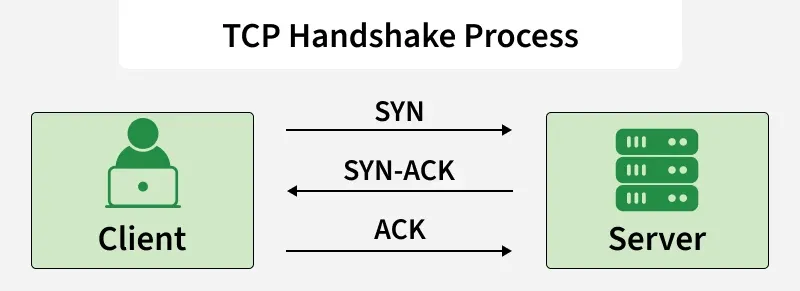
Each infrastructure service defines a health check and a depend_on condition to check if the service is healthy to block until those checks pass. Essentially the fix for the app crashes on boot because the db wasn’t ready.
Why the API and Worker Are Separate Containers
The service separation with the API vs worker, to delve deeper are two separate containers/images because they have different scaling / resource files. The API needs to answer HTTP requests quickly, the worker runs the slow ML inference jobs, which are the two huggingface transformer models I pulled.
This ensures a slow captioning job never blocks request handling
From a user’s standpoint:
- User uploads an image → browser fires POST /api/caption.
- main.py:55-65 — the API handler just enqueues the job onto Redis and immediately returns a job_id. This response comes back in milliseconds - the API never ran any ML code, it just wrote a small message onto a queue.
- The frontend then polls GET /api/jobs/{job_id} (main.py:84) every so often, showing something like “queued” → “processing” → “done” as the status changes.
- Meanwhile, any other user hitting the site at the same moment, uploading their own image, browsing history, just loading the page, gets served completely normally. Their requests never wait in line behind the first user’s captioning job, because the thing doing the actual slow work (the worker container) is a different process from the thing answering HTTP requests (the api container).
Volumes for Persistence
Volumes for persistence, for example, the db_data, minio_data, and redis_data are named volumes so data survives the docker compose down, container removal, not the down -v volume wipe. The hf_cache is a separate volume for the hugging face model cache, so the large model weights aren’t redownloaded every time the worker container is rebuilt.
This means the hf_cache makes it a one-time load per docker host for the large model weights.
What Is a Docker Volume?
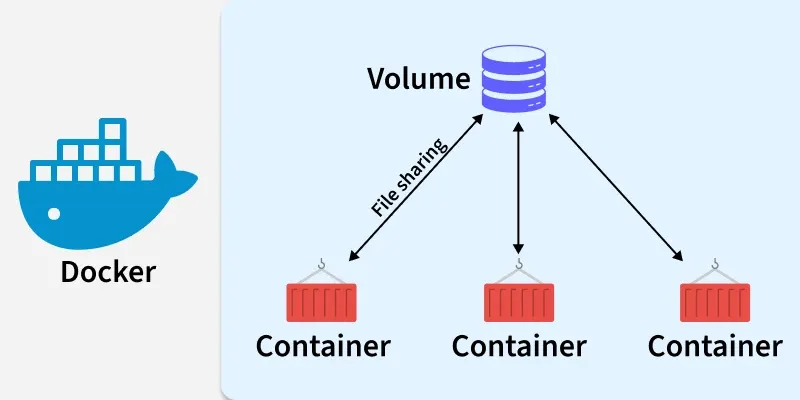
It is data persistence in docker, letting you store and manage data independently of the container’s lifecycle.
This ensures critical data such as database files or logs remains intact even when the container is gone.
The storage location is a part of the host file system managed by docker, which is protected and generally shouldn’t be modified manually.
Multiple containers can mount the same volume simultaneously, allowing them to share data without each needing its own copy.
Writing to a volume is separate from the container’s internal file system layers, helping performance and keeps application code decoupled from user or runtime data.
Build-Time vs Run-Time Config
Build time vs run-time config, the frontend needs the VITE_API_URL baked into the compiled JS bundle at build time so it’s passed with build.args in compose.
The backend services get their config such as DB_URL injected at the container start via env_file. This is deliberate for the vite/compose system.
The default env vars use a postgres_user:-postgres as a shell-style fallback syntax so the compose file works whether or not you’re a root .env, which is a good default for local dev overridable for anything else.